Claiming ENA records via ORCID
Often, attribution of credit for the production of sequence data can be patchy. All contributors to the process should be linked to their work. To that end, many types of ENA record can now be claimed to your ORCID iD as ‘Data set’ records.
Claimable record types are:
projects
samples
experiments
assemblies
sequences
How to claim a record
Upon visiting a claimable record on the ENA browser (example), an ‘ORCID Data Claims’ item will appear in the navigation box.
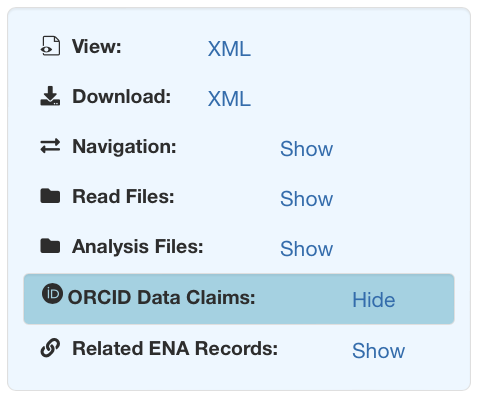
Clicking ‘Show’ will reveal the ORCID menu where you can see which ORCID IDs have already claimed the record, along with a ‘Claim to ORCID’ button to allow your to claim the record to your own ID. ORCID data claiming on EBI records is managed centrally by the EBI search service, so clicking the button will direct you to this service with your record pre-selected.

From here, click on the ‘Claim to ORCID’ button at the top of the search results. This will open a login prompt for you to authenticate your ORCID account, or if you are already logged in, it will link the record to your ORCID ID.
Checking the record
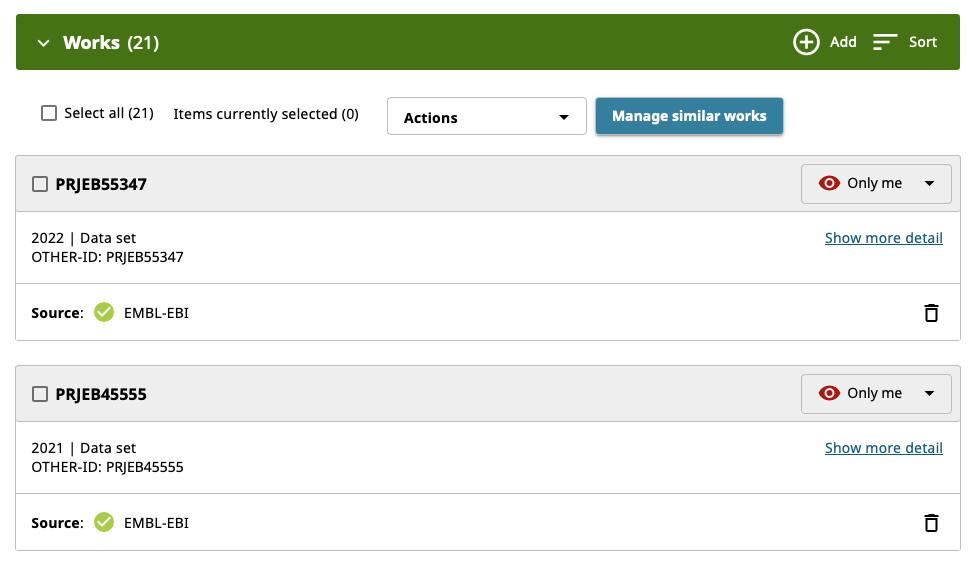
Now, we can see the newly linked record reflected in our ORCID record. Navigate to https://orcid.org and log in; you should see the record listed there as a ‘Data set’ type record. From here, you can control visibility, and unlink the record from your ORCID ID.
Tip
Sorting your list of works by ‘Type’ ascending will bring ‘Data set’ records to the top.